
Run your business,not your books.

Invoices, bills, VAT, payroll and cashflow in one app for UAE businesses. Just ask Purpl AI, and the admin gets done.

Download on the App StoreGet it on Google Play

Free to download · Available in the UAE

Or use it in your browser at app.purplai.com

features in one app
127
things Purpl AI can do
84
kinds of record Purpl AI can search
10
months of cashflow, forecast
6

The busywork, handled.

Five jobs every business does every week. Here is how each one goes in a spreadsheet, and how it goes in Purpl.

  1. Send an invoice

    Open the template, retype the customer, work out the VAT, export a PDF, attach it to an email.

    Pick the customer, add items from your catalogue and tap Create. The number, dates and VAT fill themselves in.
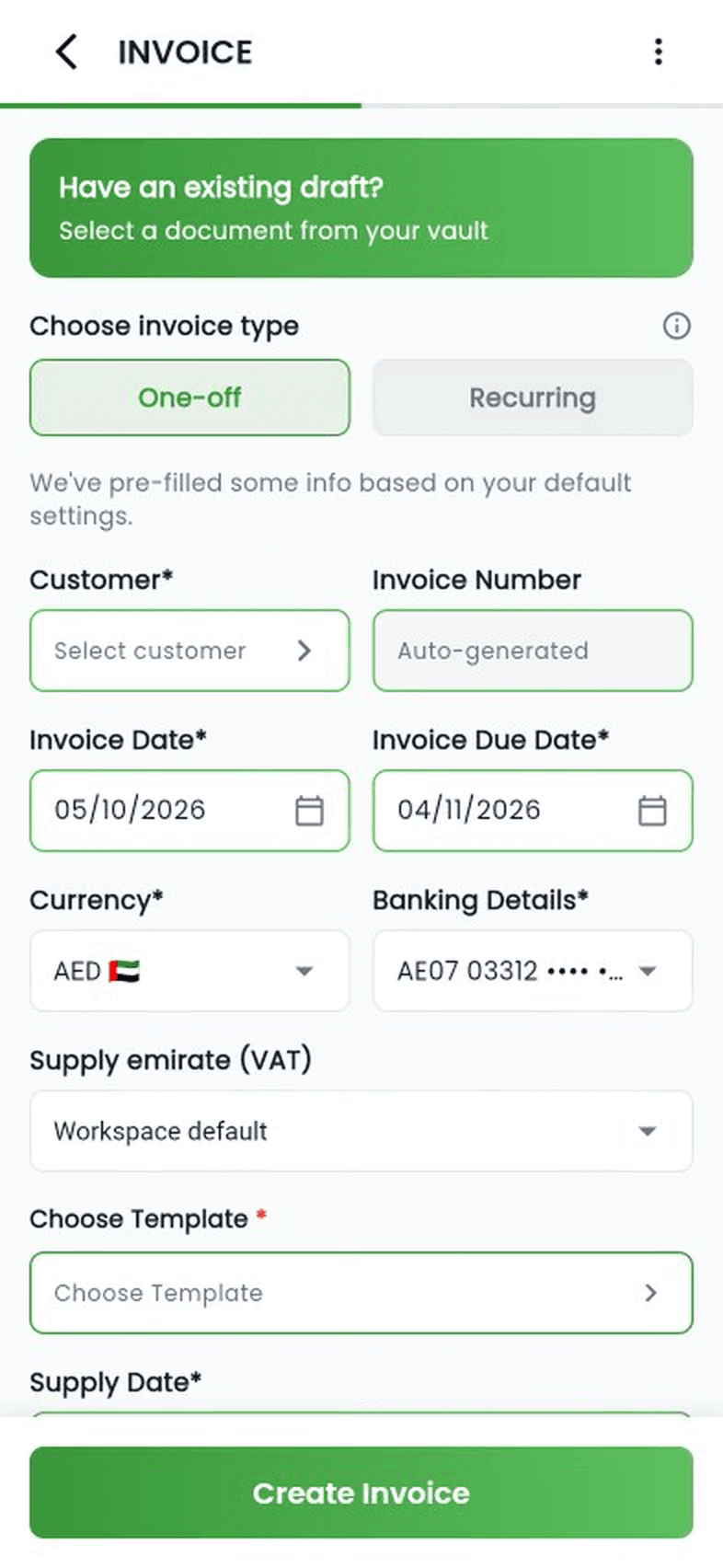
    Creating an invoice in the Invoices screen: customer, template and a catalogue item, then Create
  2. Record a bill

    Keep the receipt, type every line into a spreadsheet, split out the VAT, file the paper somewhere.

    Pick the supplier and category, type each line, and choose its VAT. The subtotal, VAT and total add themselves up.
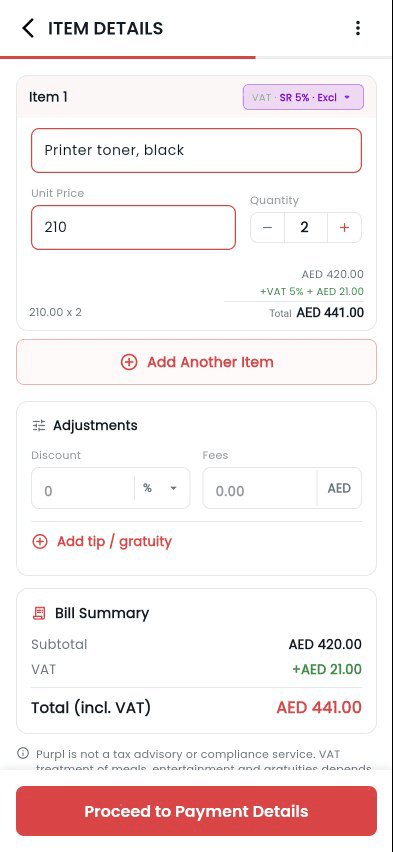
    Logging a bill by hand: supplier, category, then a line item with 5% VAT and the total
  3. Prepare the VAT return

    A weekend of adding up invoices and bills, box by box, before the 28th.

    Every box of your VAT return is already calculated from your books. Tap a box to see the exact transactions behind it.
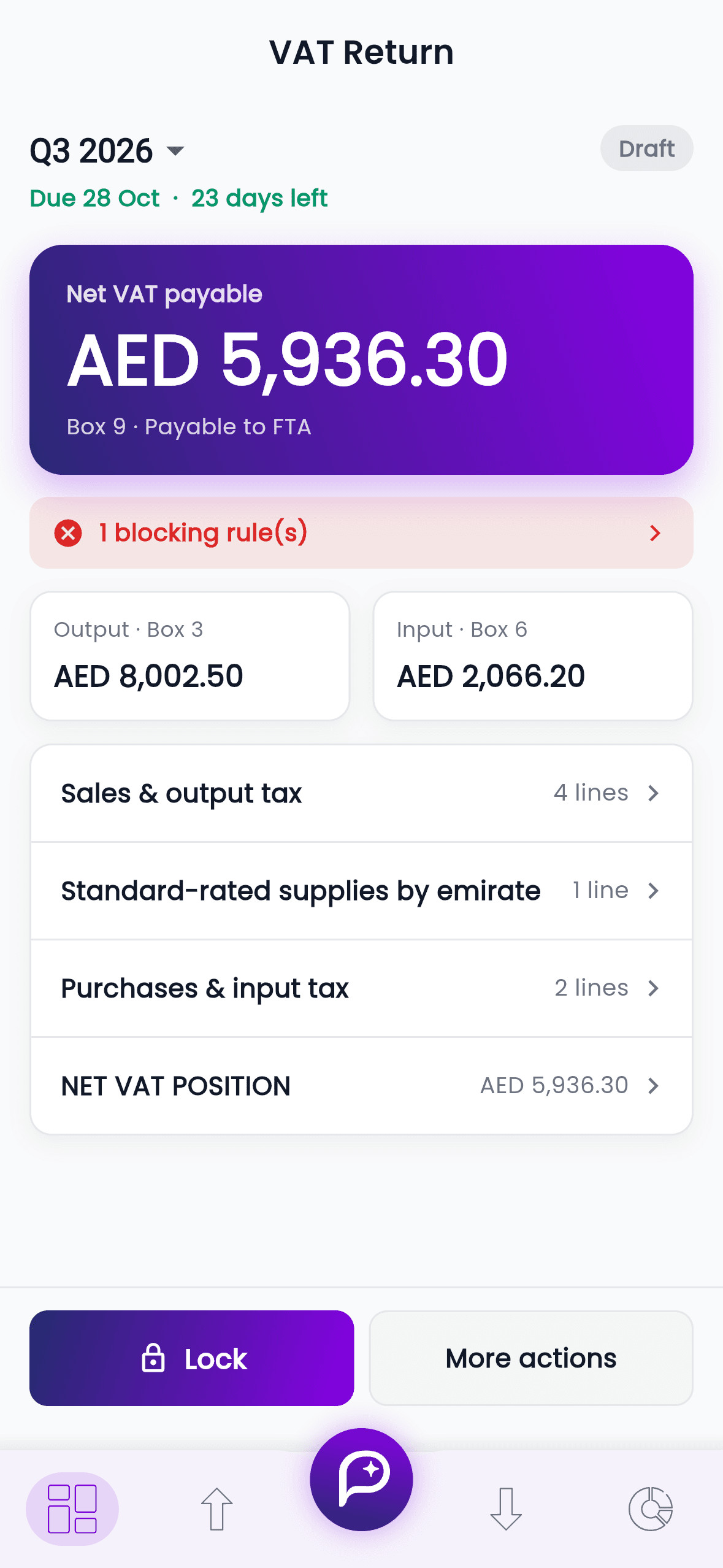
    The VAT return in Purpl with each box calculated
  4. Get paid on time

    Scroll the sent folder to work out who still owes you, then write each reminder by hand.

    Overdue invoices are flagged in red in your Vault. Open one and send it to the customer again by email.
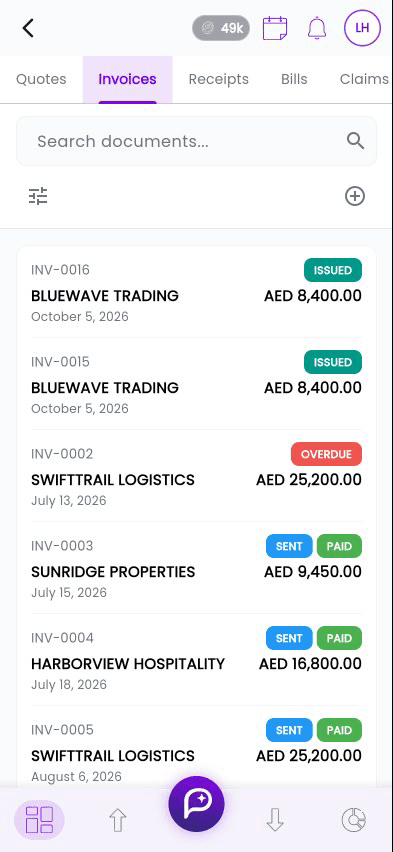
    The Vault's invoice list with an overdue invoice, opened and shared by email
  5. Know where you stand

    Wait for the accountant at month end to find out whether it was a good month.

    Open the app. Profit, cash and what is due are on the first screen, today.
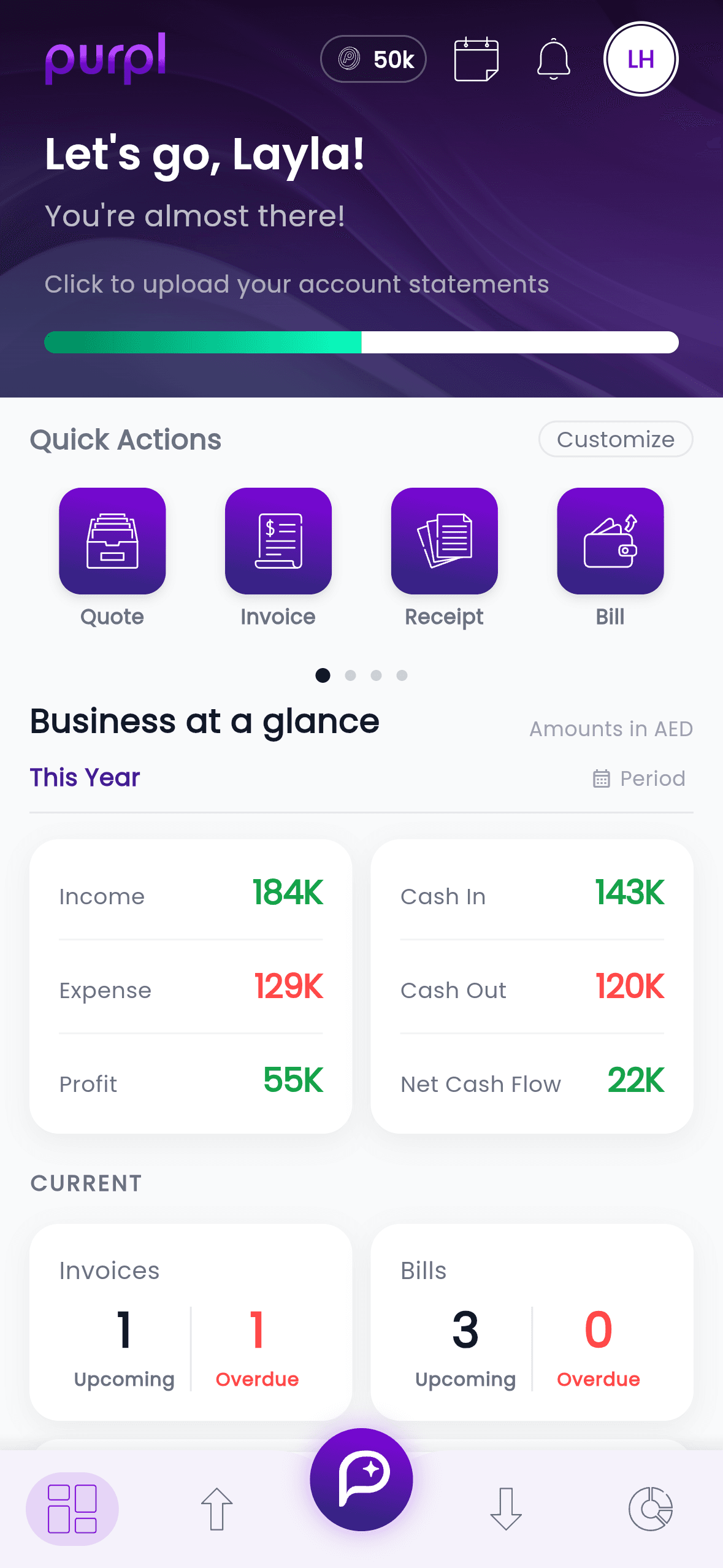
    The Purpl dashboard showing income, spend and cash
Creating an invoice in the Invoices screen: customer, template and a catalogue item, then Create

Purpl AI

Tell it. Ask it. Show it a document.

The assistant runs your books from a conversation, and checks every change with you before it saves.

  • Do it for me

    Create invoices, quotes, bills, purchase orders, salaries and claims by describing them.

  • Move work along

    Record a payment, convert a quote, approve a claim, all in a sentence.

  • Ask about your business

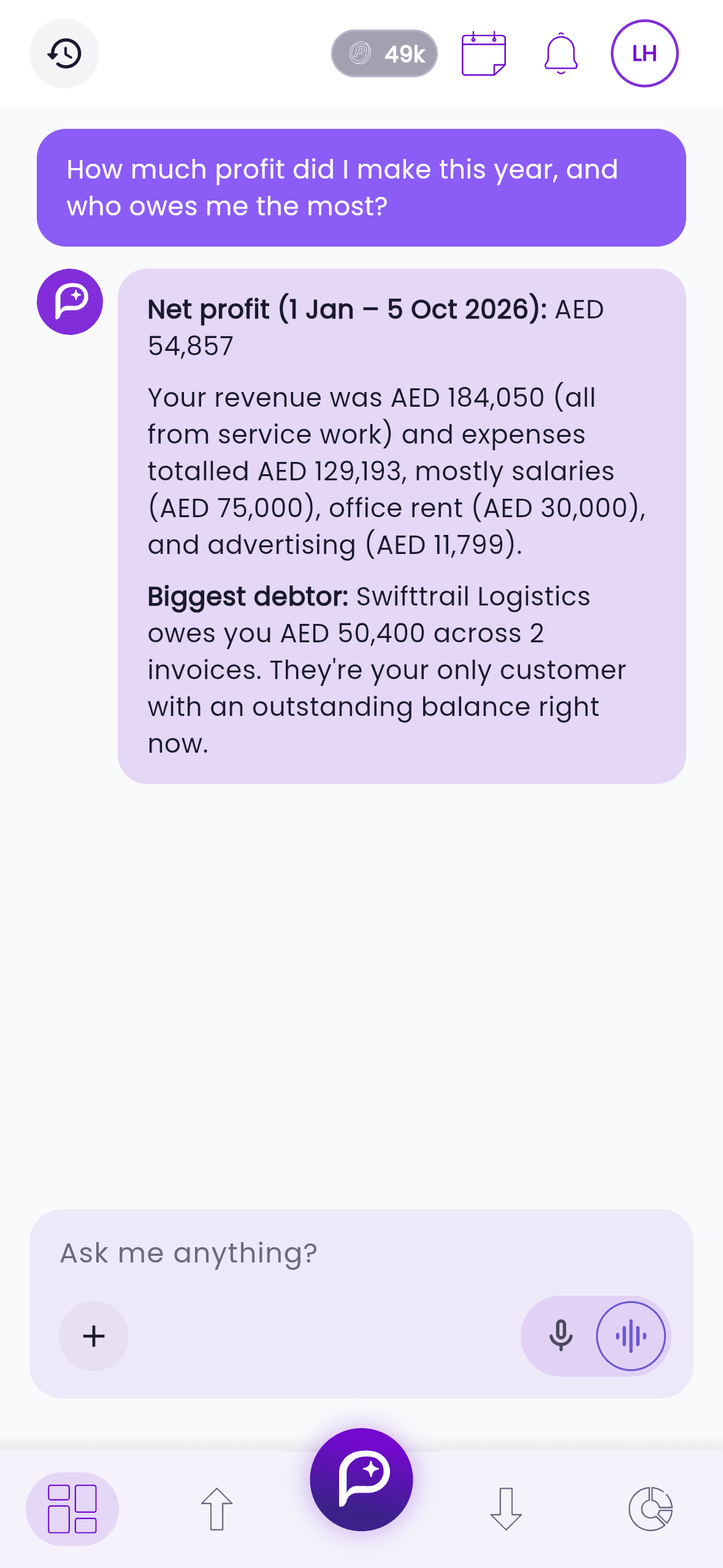
    Profit, cash, overdue customers, top products, answered in plain words.

  • Talk, snap, attach

    Hold to speak. Attach a receipt or a trade licence and Purpl works out what it is.

Try asking
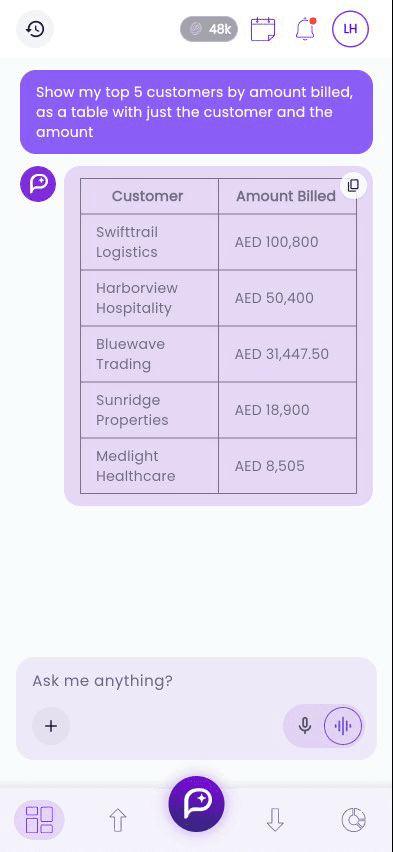
Purpl AI answering with a table of the top five customers and the amount billed to each

“Who are my top customers?”Your biggest customers by amount billed, laid out as a table you can copy.

Nothing saves until you say yes

Every change is shown first, with its exact details and total. Purpl AI waits for your yes before it writes anything.

Answers from your own books

It reads your invoices, bills and payments, not the internet, so every figure matches what your screens show.

Only what your role allows

A teammate who can only view invoices cannot use the assistant to create, pay or cancel one.

Everything your business runs on.

One app instead of a spreadsheet, an invoicing tool, a scanner app and a folder of receipts.

  • Quotes, invoices and receipts with full VAT support
  • Convert a quote to an invoice in one tap
  • Recurring invoices that send themselves
  • Customer advances applied to invoices later
  • Credit notes that keep the original intact
  • Customers accept quotes from the email, no login
See all features
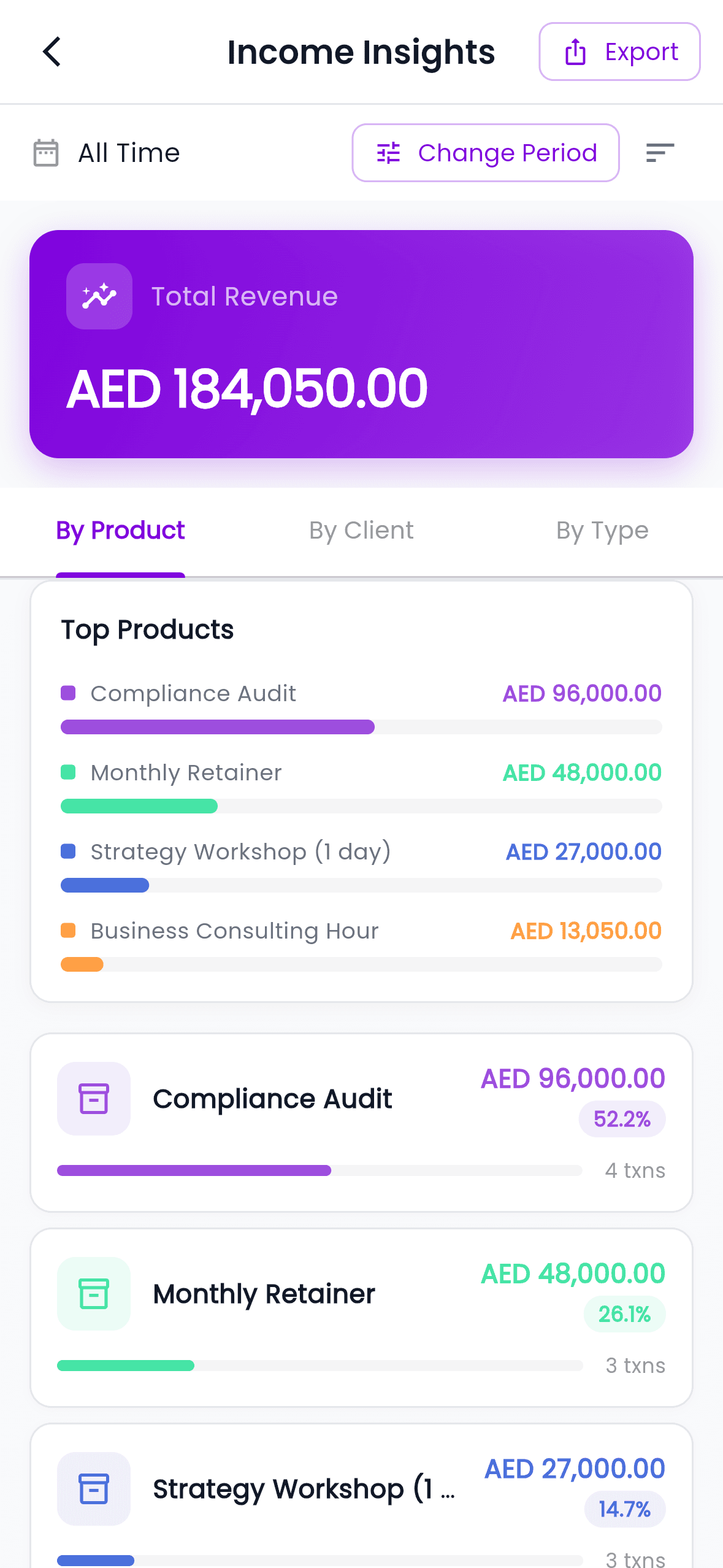
Income insights in Purpl, revenue by product

iPhone · Android · Web

Start on your phone. Finish at your desk.

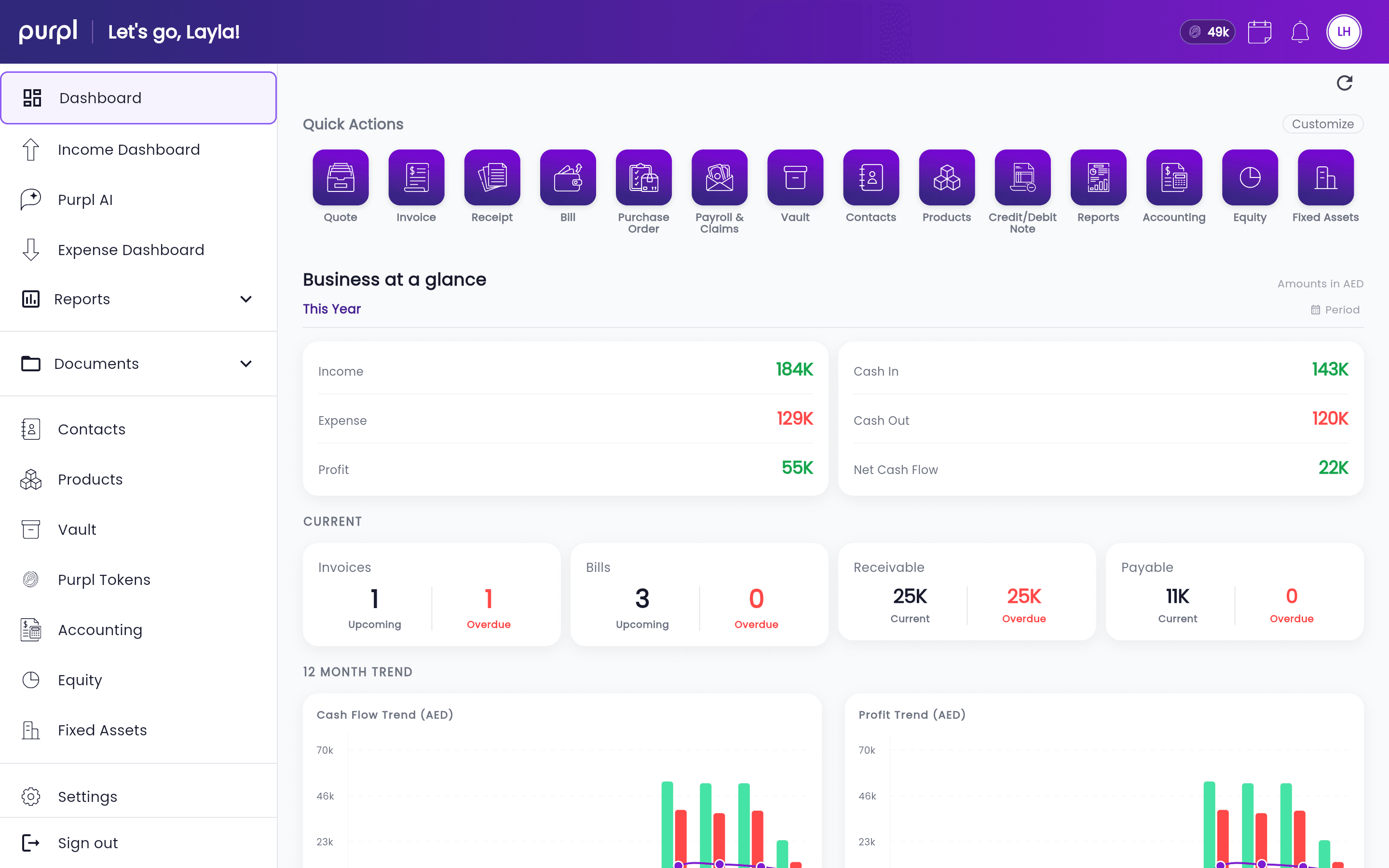
One account, the same books everywhere. The web app is a full desktop workspace with a side rail and wider reports, not a stretched phone screen.

The Purpl web app dashboard in a desktop browser
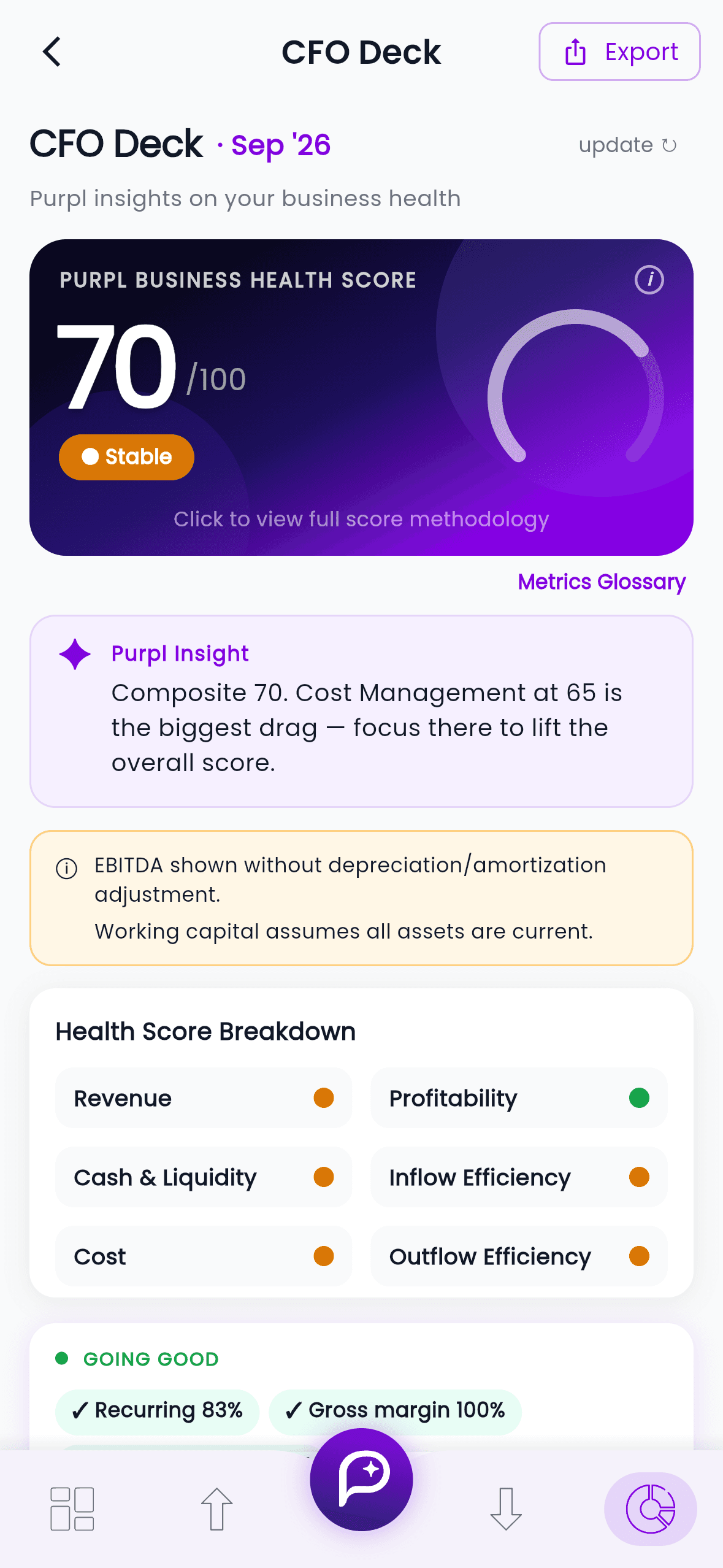
The same dashboard in the Purpl phone app

On your phone

Native apps for iPhone and Android. Scan receipts, send invoices and ask the AI on the go.

Download on the App StoreGet it on Google Play

On the web

Open app.purplai.com in any modern browser and sign in with the same account.

Open the web app

Signing up needs a UAE mobile number.

Built like a bank ledger. Honest about how.

Purpl Tech Solutions Private Limited is licensed in the Dubai International Financial Centre (DIFC Licence CL13529).

Encrypted in transit and at rest.

Every connection is encrypted, and so is the storage your books sit on.

Hosted on AWS.

In Singapore, a location the DIFC data protection law recognises as adequate. Database backups are kept for seven days.

Your data stays yours.

Never sold. Voice recordings are not stored. Export your reports whenever you need them.

How we protect your data

Start with 2,500 free tokens.

Every new account gets 2,500 tokens, around 100 invoices' worth. Top up only when you need more. See pricing

Download on the App StoreGet it on Google Play

Free to download · Available in the UAE

Or sign up on the web at app.purplai.com

Not in the UAE? Tell us where you are and we’ll let you know when we get there.

Protected by reCAPTCHA — Google’s Privacy Policy and Terms apply.